Paid Media
How to Set Up Your First ChatGPT Ad Campaign (Step by Step)
UE
Uptrix Editorial Team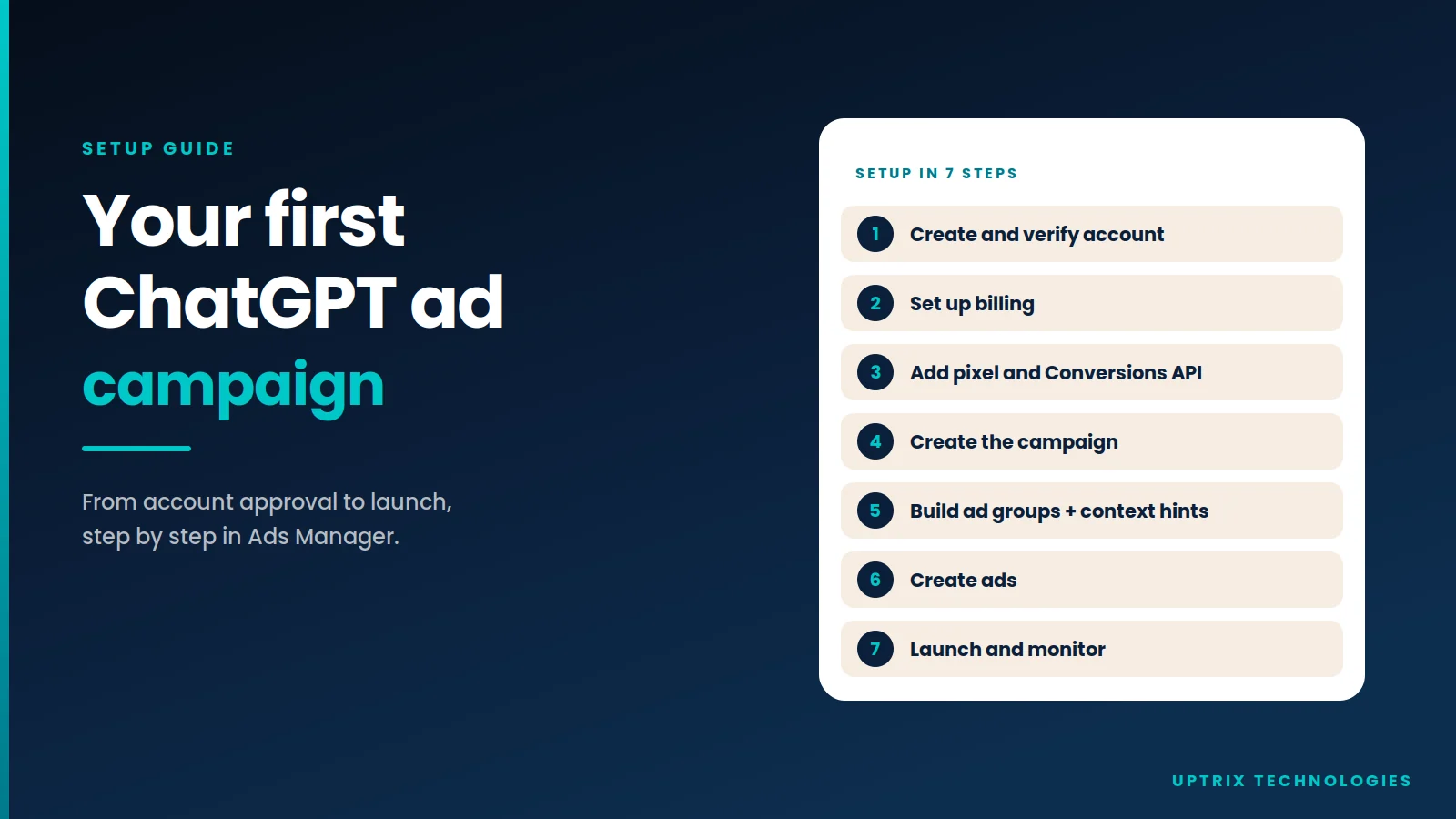
Set up your first ChatGPT ad campaign in 7 steps: account approval, billing, tracking, campaign, ad groups, ads and launch, plus limits and restrictions.
- •You need an approved Ads Manager account, a business name and logo, and billing before ads can run.
- •Each ad account can hold up to 5,000 campaigns, 5,000 ad groups and 5,000 ads.
- •New self-serve accounts may be limited to their home country at first.
- •Context hints guide matching but aren't exact keywords.
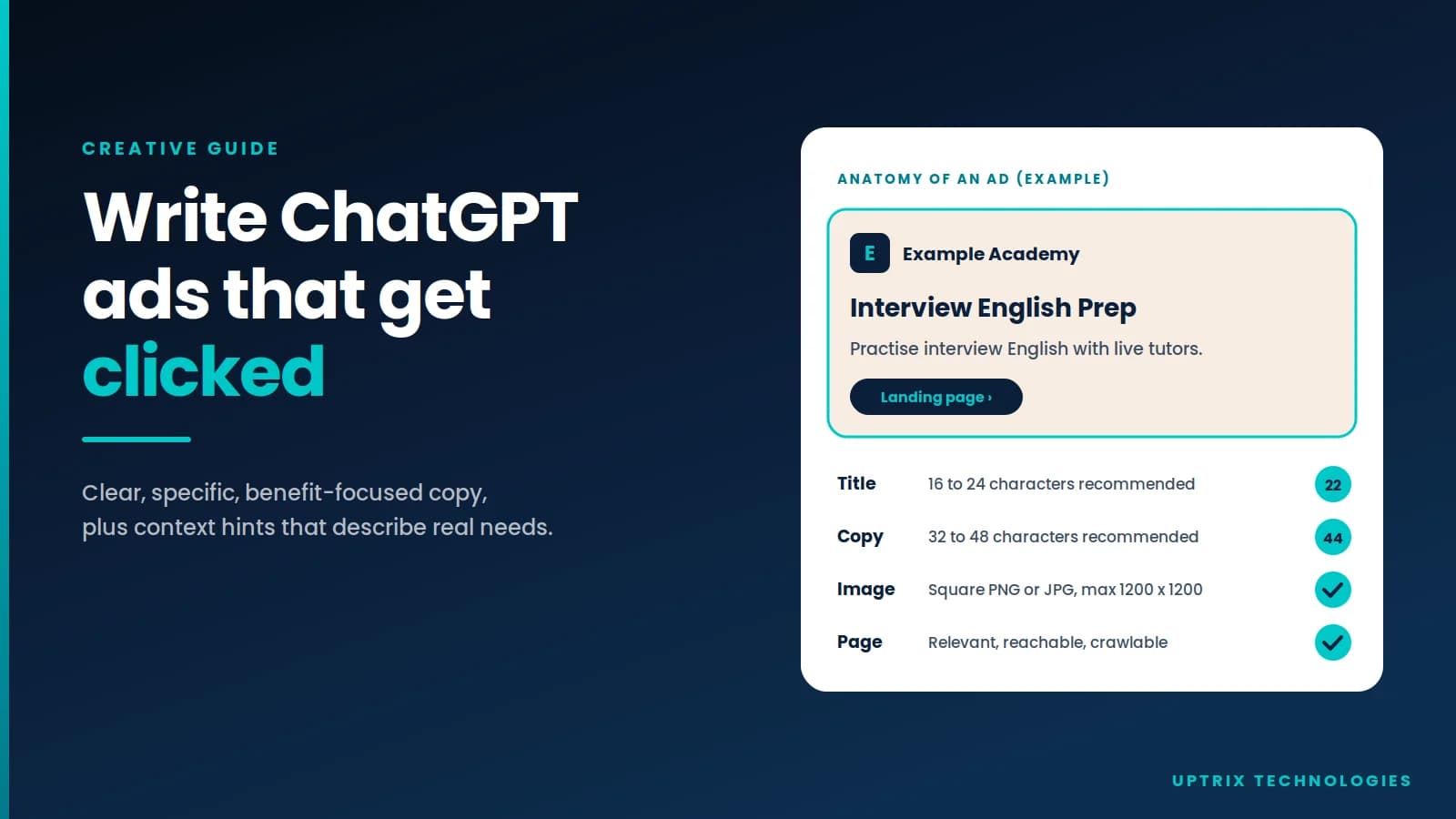
- •Recommended ad titles are 16 to 24 characters; ad copy 32 to 48.
- •Wait at least 24 hours before judging delivery.
Key Insight
Setting up a ChatGPT ad campaign takes seven steps in OpenAI's Ads Manager: get your account verified, add billing, install tracking, then build a campaign, ad groups and ads. Most delays come from the first step, since OpenAI reviews every account in a rolling queue. Plan your objective and budget type up front, because some campaign settings can't be changed after launch.
The problem
Most guides explain what ChatGPT ads are, not what to click or which choices you can't undo. First campaigns go wrong on exactly that: a wrong objective, a missing logo, or a landing page OpenAI can't read. This walkthrough follows OpenAI's own documentation.
The short answer
Sign up at ads.openai.com, wait for account approval, add your business name, logo and billing, and install the pixel or Conversions API. Then create a campaign (objective, budget, dates, locations), add ad groups with context hints and a bid, and add ads with a title, copy, image and landing page. Set everything to active and check delivery after 24 hours.
New to ChatGPT ads? Read our main guide first: ChatGPT Ads: How They Work and Whether Your Business Should Try Them.
Step 1: Create and verify your Ads Manager account
Go to ads.openai.com and sign in with an OpenAI account, ideally one tied to your work email. According to OpenAI's account setup guide:
- Only one account owner per business should create the advertiser account. They can invite team members later.
- You enter your business details, including the country of your advertiser account.
- OpenAI reviews each account in a rolling queue, including whether your products are eligible under its ad policies. Approval can take some time, and you'll get an email when access is ready.
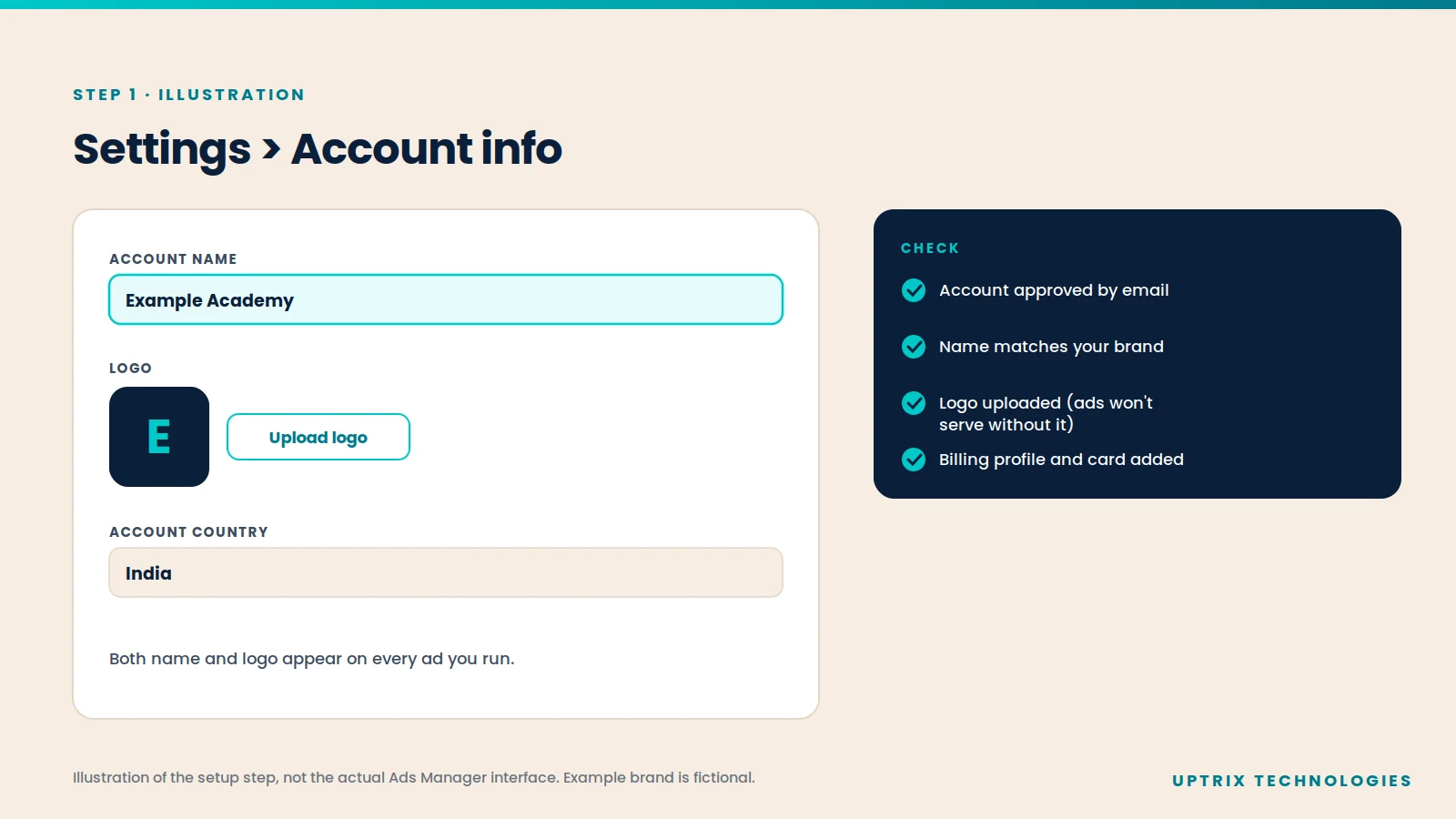
Once approved, go to Settings, then Account info, and check your account name and logo. These appear on every ad, and OpenAI says ads won't serve until this step is done.
Not sure your business qualifies? Check the category rules in our main ChatGPT ads guide, and if you're in India, our India guide.
Step 2: Set up billing
Add a billing profile (business name, address, invoice email) and a credit card. Your card and billing details should match the country your account was created for. Billing is postpaid: your card is charged when spend reaches a threshold, or at month end.
We explain budgets, bids and billing in detail in ChatGPT Ads Pricing and Bidding Explained.
Step 3: Set up conversion tracking
Before launching, install OpenAI's pixel (code on your website) and, ideally, the Conversions API (which sends events from your server). You need at least one of these to run a Conversions campaign, and both help you see which clicks turn into leads or sales.
Also add UTM tags (tracking codes in your link) to your landing page URLs. OpenAI says these carry through when people click your ad, so ChatGPT traffic shows up in your own analytics.
Step 4: Create your campaign
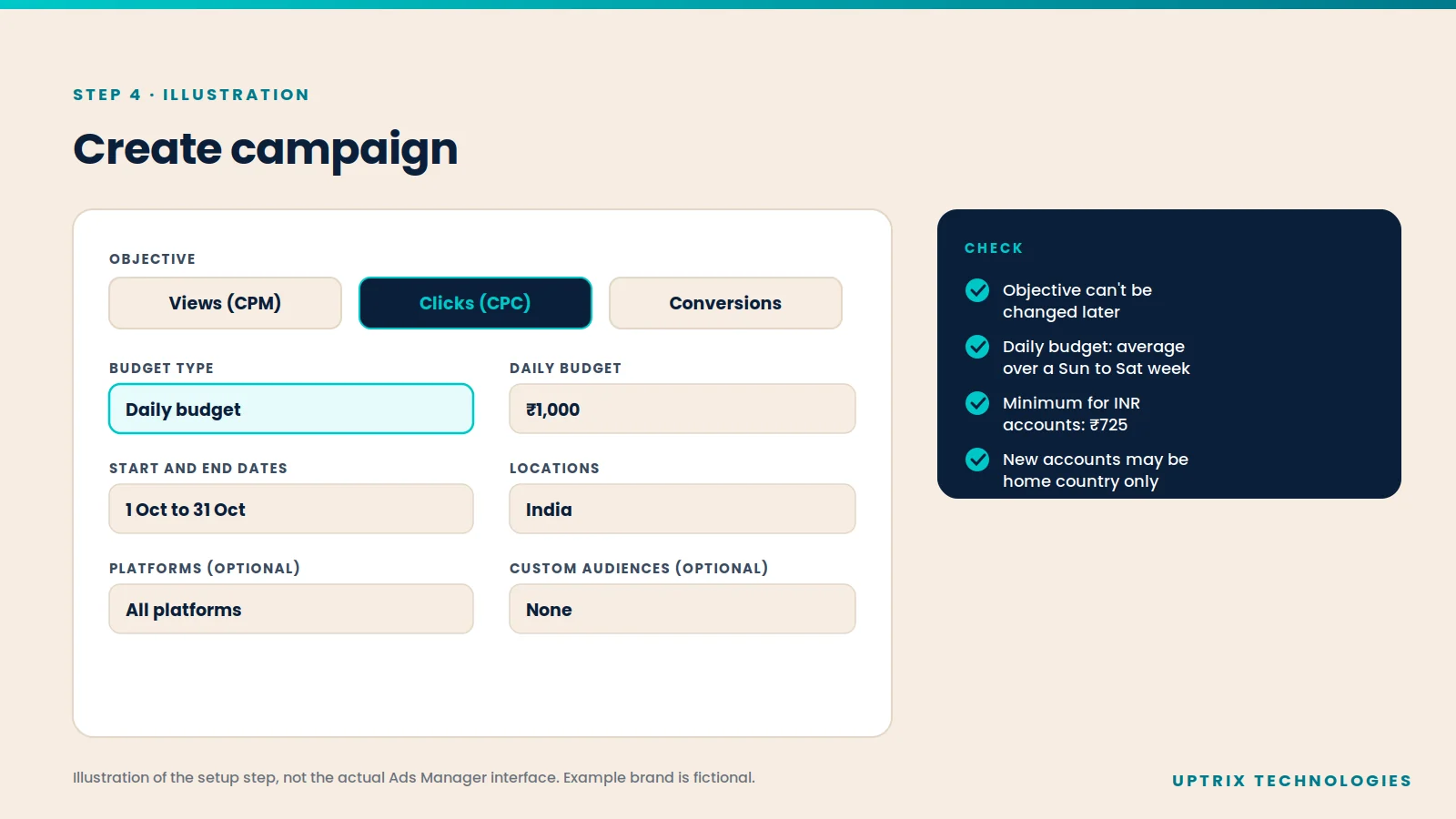
In Ads Manager, click Create, then Create campaign. OpenAI's campaign guide lists what each campaign includes:
| Setting | What to choose |
|---|---|
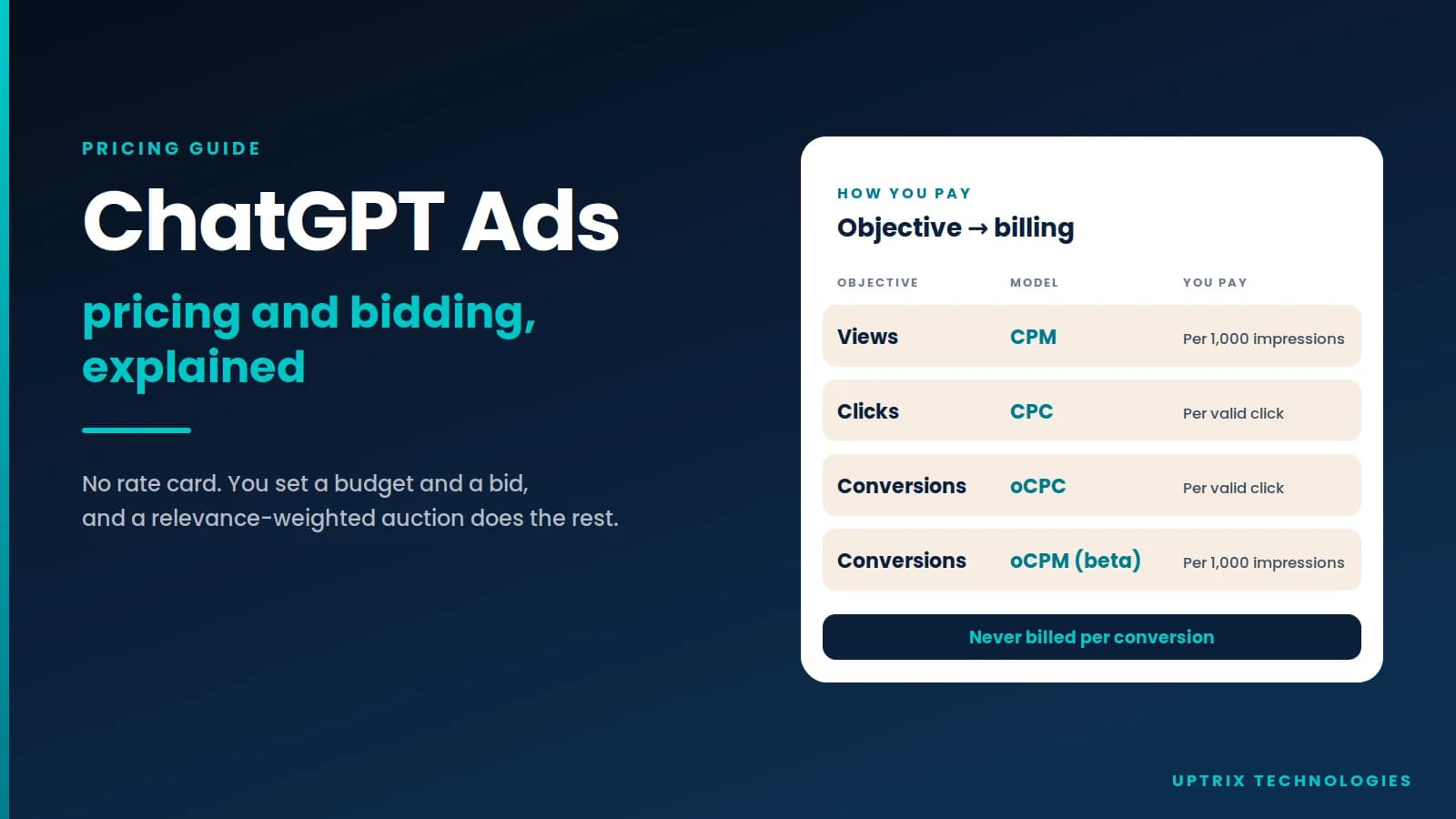
| Objective | Views (pay per 1,000 impressions), Clicks (pay per click) or Conversions |
| Budget | Daily (an average over a Sunday-to-Saturday week) or campaign total |
| Dates | Start and end dates, with enough time to gather data |
| Locations | Countries, and in many cases states, cities or postal codes |
| Platforms (optional) | Android app, Android web, desktop web, iOS app, iOS web |
| Custom audiences (optional) | Lists of customers or prospects to include or exclude |
Two things to know before you save:
- You can't change the objective later. To switch, you create a new campaign. Budget type changes are also limited: you can move from a campaign-total budget to a daily budget, but not back.
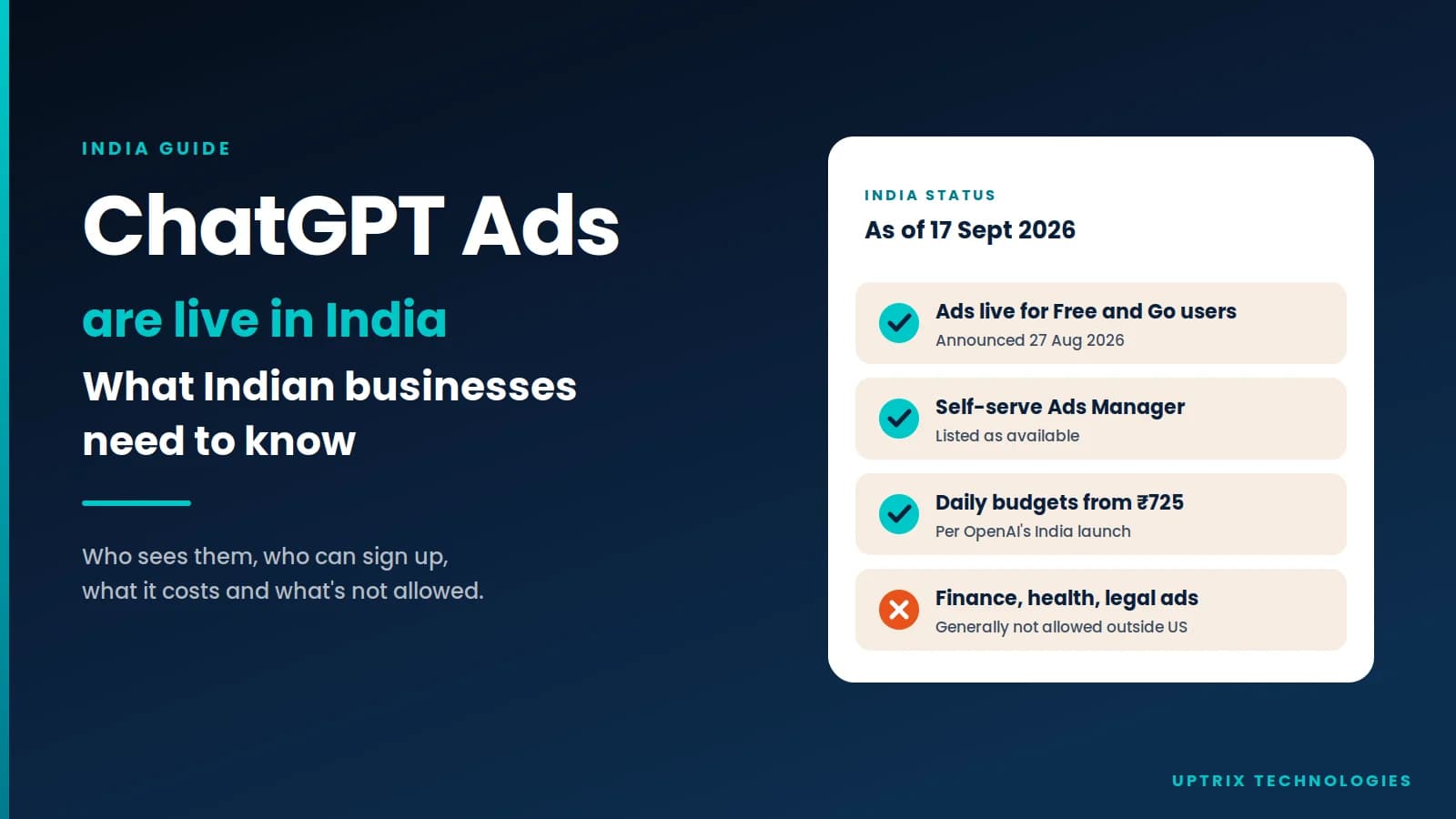
- Minimum daily budgets depend on your billing currency, for example ₹725 for INR accounts and $25 for USD accounts.
Step 5: Build ad groups with context hints
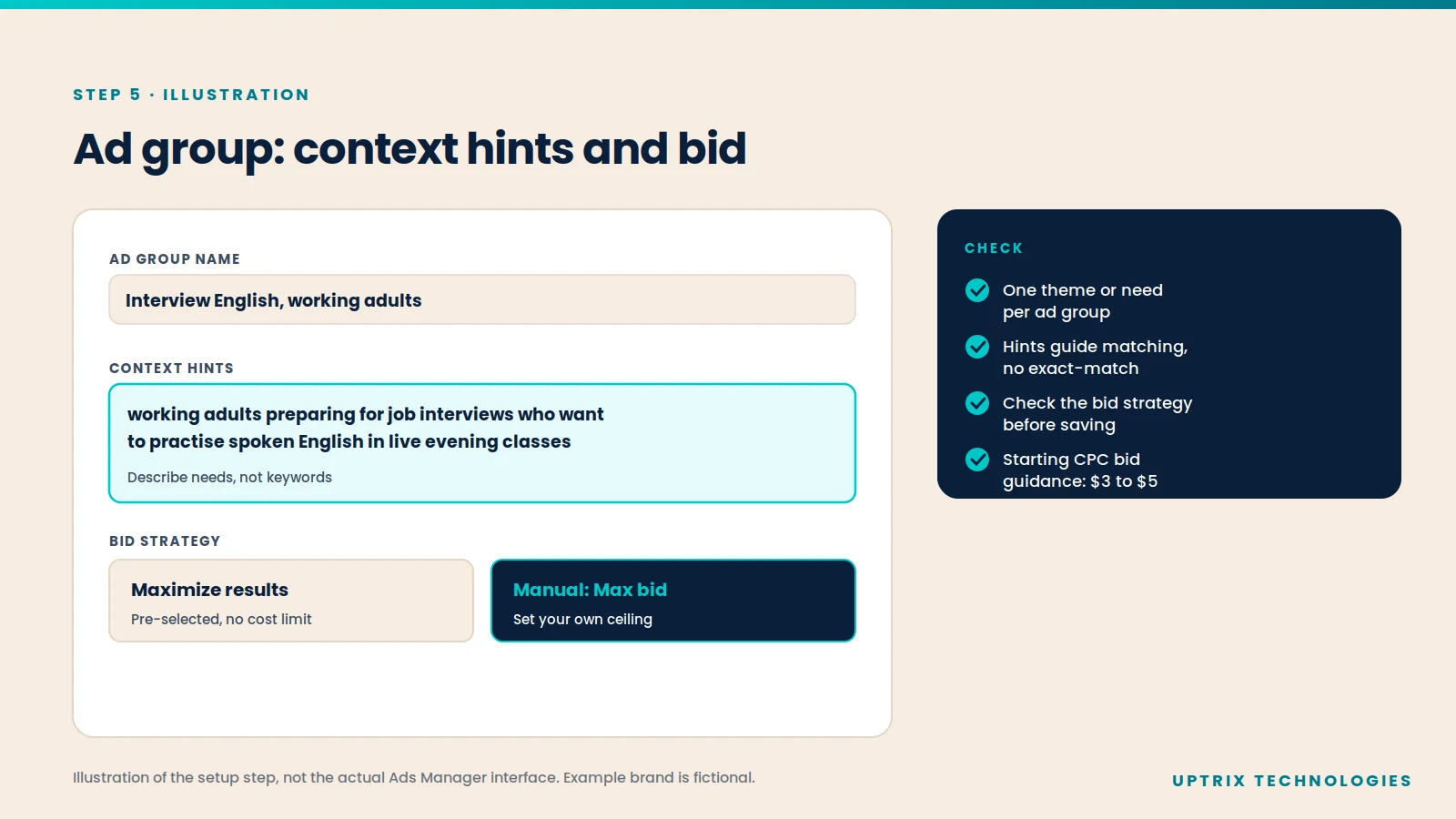
Inside the campaign, add one or more ad groups. Each ad group needs a name, a bid and context hints.
Context hints are short descriptions of the conversations or needs where your ad could help. OpenAI's ad group guide is clear that they are not exact-match keywords and don't guarantee your ad appears in any specific chat. Its advice:
- Keep each ad group to one product, theme or customer need.
- Create separate ad groups for meaningfully different products, audiences or use cases.
- Don't mix unrelated products in one group.
Then check the bid strategy. "Maximize results" is pre-selected for eligible new ad groups and has no cost limit, so switch to a manual maximum bid if you need one.
Step 6: Create your ads
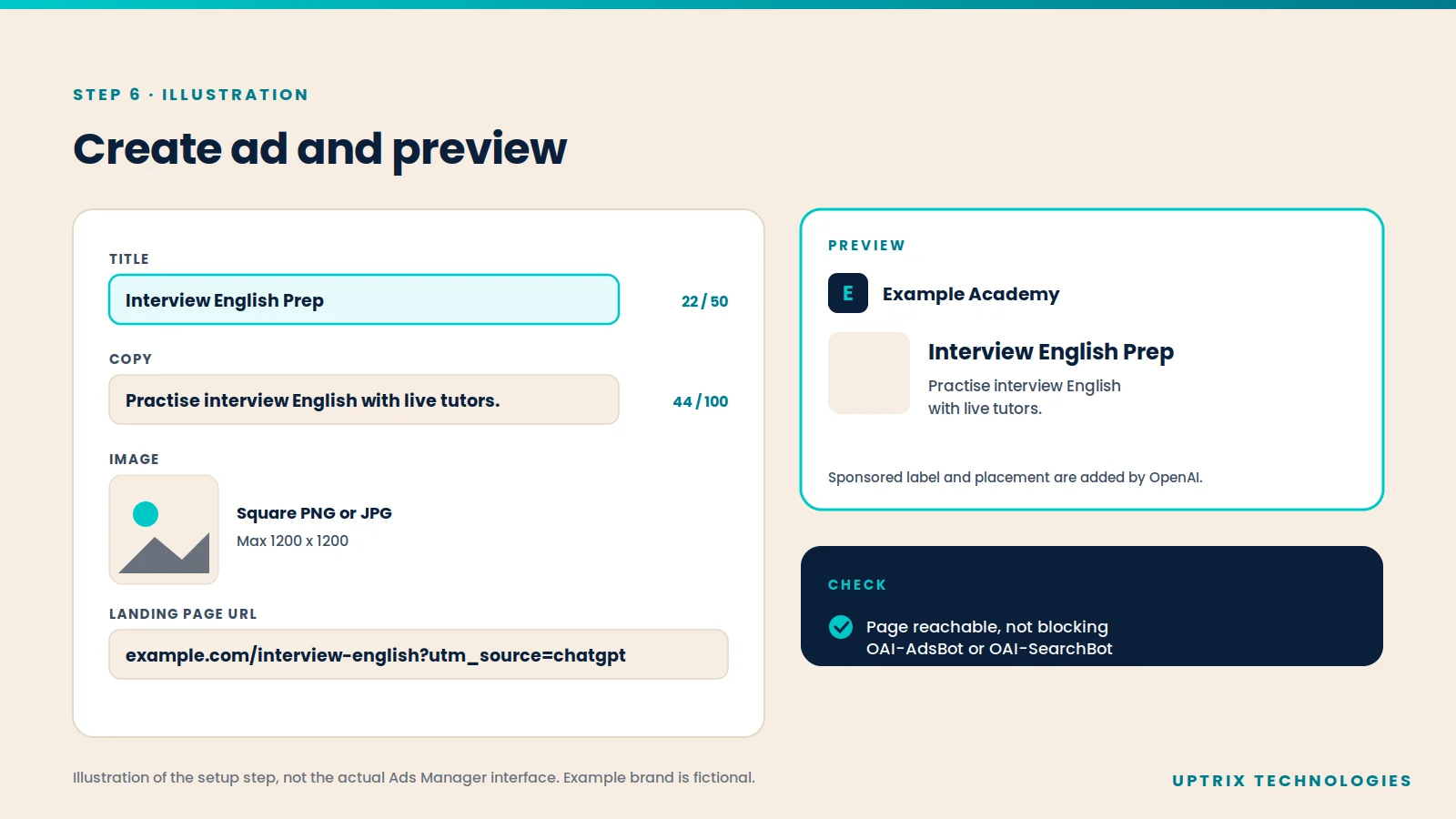
Each ad includes your business name, logo, title, copy, landing page and image. OpenAI's launch guide gives these specs:
| Element | Requirement |
|---|---|
| Title | 16 to 24 characters recommended, 50 maximum |
| Copy | 32 to 48 characters recommended, 100 maximum |
| Image | PNG or JPG, square, no larger than 1200 x 1200 |
| Landing page | Valid, reachable, and not blocking OpenAI's crawlers |
OpenAI also recommends clear, benefit-focused copy and several title and copy variations per offer, so the platform can find more places your ad fits. Our guide on how to write ChatGPT ads that get clicked goes deeper.
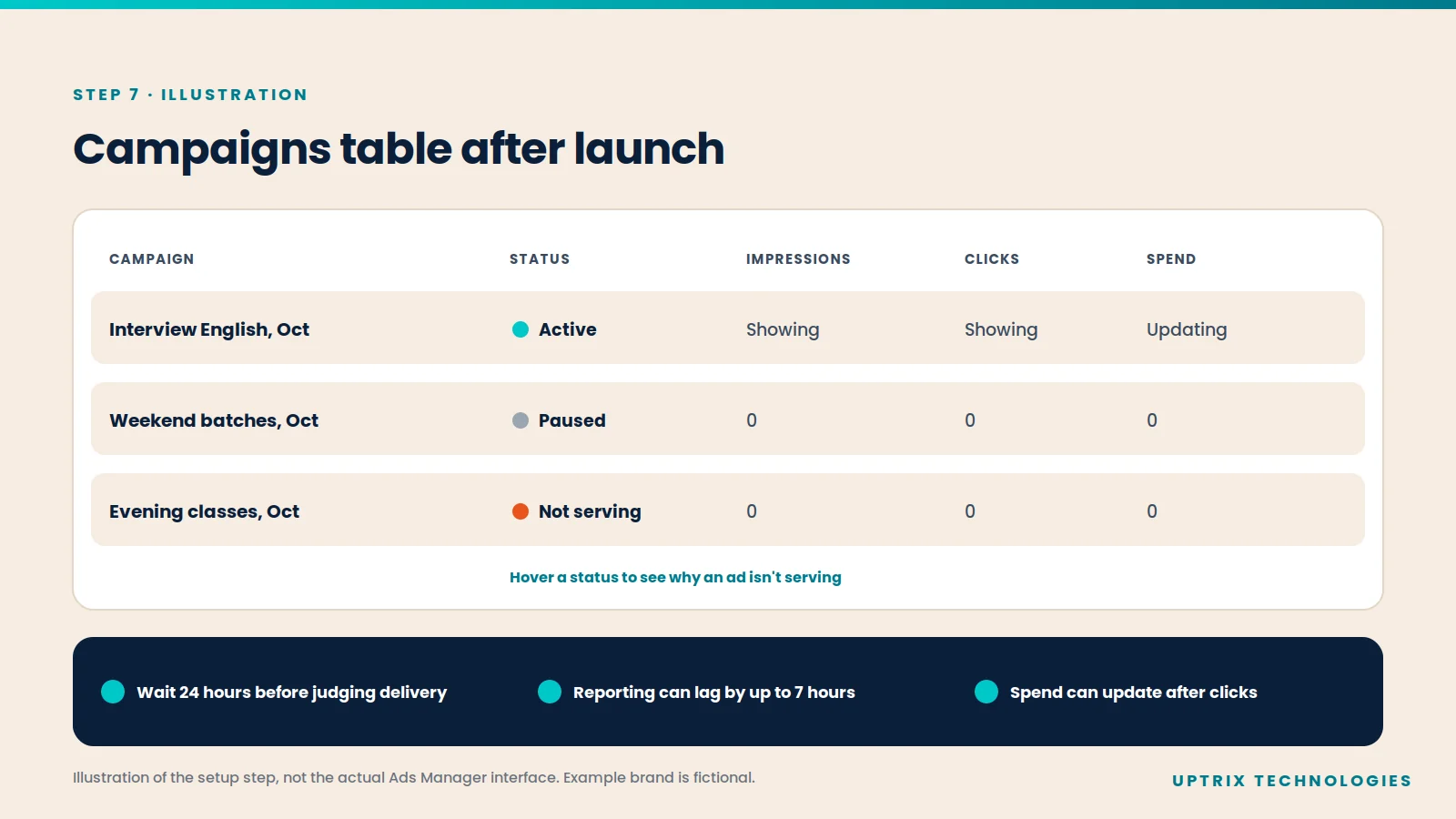
Step 7: Launch and check the first few days
Set your campaign, ad groups and ads to Active. Every ad goes through review before it can serve.
In the first days, per OpenAI's troubleshooting guide:
- Wait at least 24 hours before reporting a delivery problem. Reporting can lag delivery by up to seven hours.
- If something shows Not serving, hover over the status to see why.
- Impressions and clicks can appear within minutes, but spend can update later.
- If a campaign uses its weekly budget early, it can pause until the next budget week.
How many campaigns, ad groups and ads can you create?
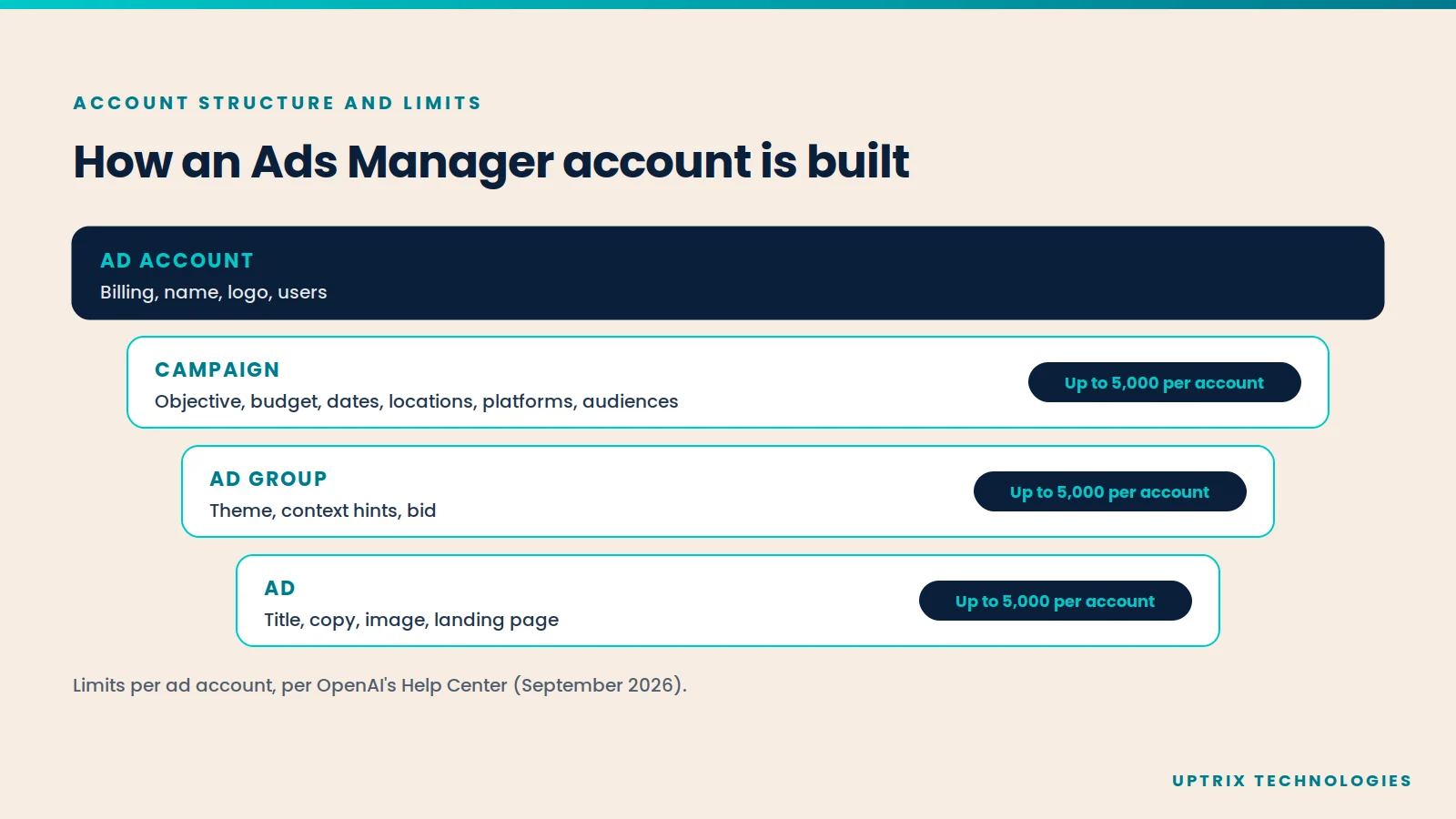
OpenAI's launch guide says each ad account can include up to:
- 5,000 campaigns
- 5,000 ad groups
- 5,000 ads
These are account-wide limits, not per campaign. OpenAI doesn't publish a separate limit for ad groups per campaign or ads per ad group in the pages we reviewed. For larger launches, you can create campaigns in bulk by uploading OpenAI's CSV template (Create, then Upload bulk).
For custom audiences, a list used to include people must reach at least 25,000 matched users before it can be used. Exclusion lists can be smaller.
What restrictions should you know about?
- Home country first. OpenAI says some new self-serve accounts can only advertise in their home country at first. Other supported countries unlock after identity verification and enough spend in your home country.
- Self-serve countries. Your billing legal entity must be in a country where self-serve is available.
- Categories. Ads mainly cover consumer categories. Finance, health and legal services are generally not allowed outside the US.
- Europe. OpenAI advises against custom audiences for campaigns targeting the EEA or Switzerland, where ad personalisation isn't available.
- Product-feed campaigns. New ones can only target at country level.
What Uptrix Technologies believes about this
Setup is where good tests are won or lost. The platform is simple to click through, but the choices that matter, like objective, budget type and tracking, are hard to undo.
Using the Uptrix 5S™ framework, this whole guide sits in the Sequence stage: set things up in the right order before you Ship. If you'd like a team to handle it, our paid media team can.
Conclusion
A first ChatGPT ad campaign comes down to seven steps and a few settings you can't take back. Get account approval started early, install tracking before launch, keep ad groups focused, and give the campaign a day before judging it. Then compare the results with your other channels using our ChatGPT Ads vs Google Ads guide.
Want us to set up your first ChatGPT ad campaign?
Uptrix Technologies is a growth marketing company. One team owns strategy, execution and performance, from the first strategy call to scale. Book a growth consultation and we'll check your eligibility, tracking and setup before you launch.